> For the complete documentation index, see [llms.txt](https://document.tek-labs.app/free-gift-userguide/llms.txt). Markdown versions of documentation pages are available by appending `.md` to page URLs; this page is available as [Markdown](https://document.tek-labs.app/free-gift-userguide/user-guides/upsell-offers/volume-discount.md).
# Volume Discount
Tiered quantity discounts for specific products.
A Volume discount gives a lower price, or a free gift, when customers buy more of a product, for example "Buy 2, get 10% off; buy 3, get 20% off". The tiers are shown in a block on the product page.
{% hint style="info" %}
Turn on the **Volume discount** app embed in your theme. See [Enabling Tek Labs app](/free-gift-userguide/getting-started/enabling-tek-labs-app.md).
{% endhint %}
## Step 1 · Offer
### Offer information
**Offer name**: identifies the offer in the app.
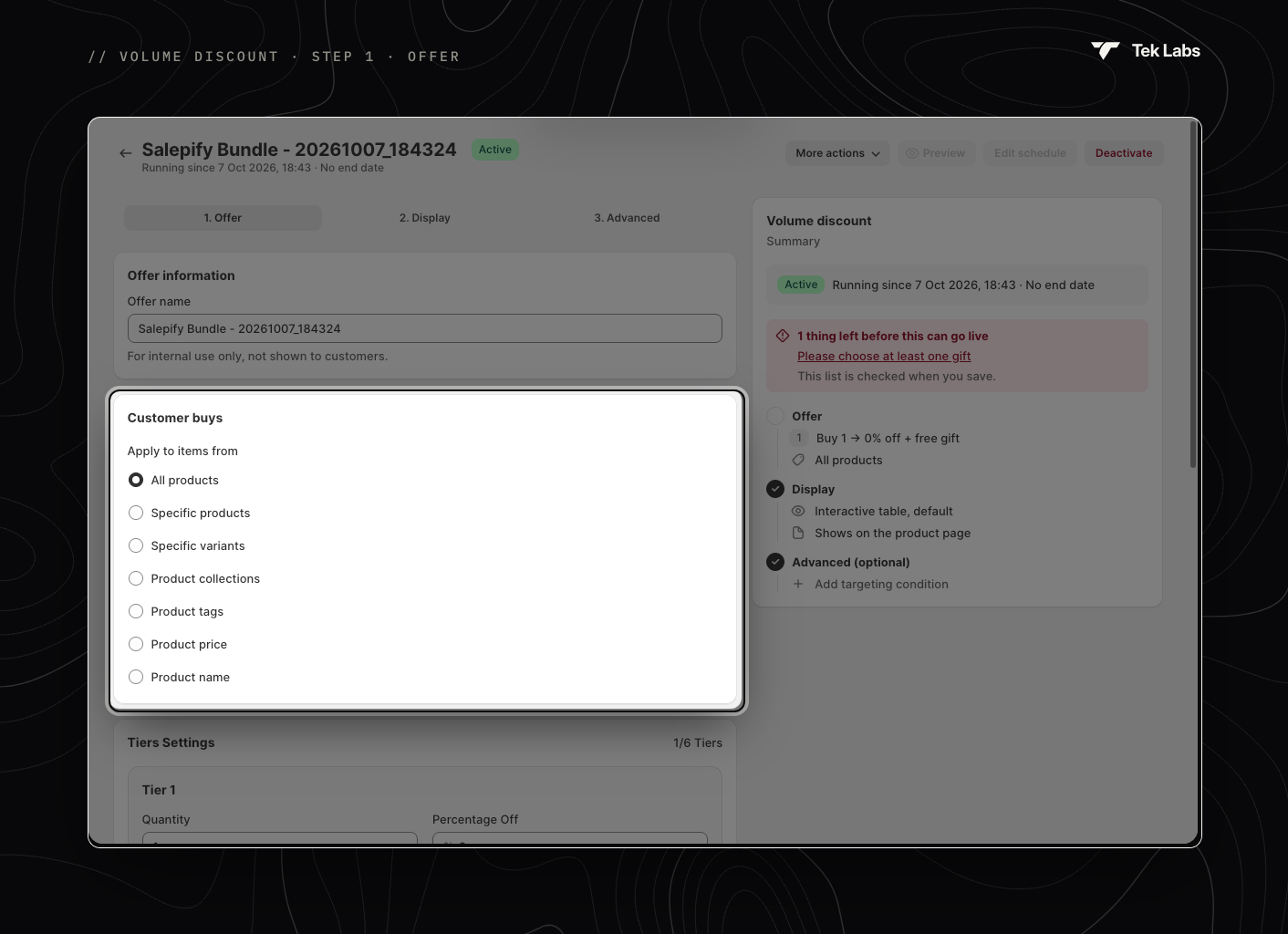
### Customer buys
**Apply to items from**: which products the tiers apply to.
| Option | Details |
| ----------------------- | -------------------------------------------------------------------------------------------------------------------------------------------------------------- |
| **All products** | Every product in your store (default). |
| **Specific products** | Up to 100 products. |
| **Specific variants** | Up to 100 variants. |
| **Product collections** | Products in the selected collections. |
| **Product tags** | Products with the tags you enter. |
| **Product price** | Products priced **Greater than** and/or **Less than** the values you enter. Combine both with **Or** (default) or **And**. Leave a field blank to turn it off. |
| **Product name** | Products whose names contain the text you enter. |
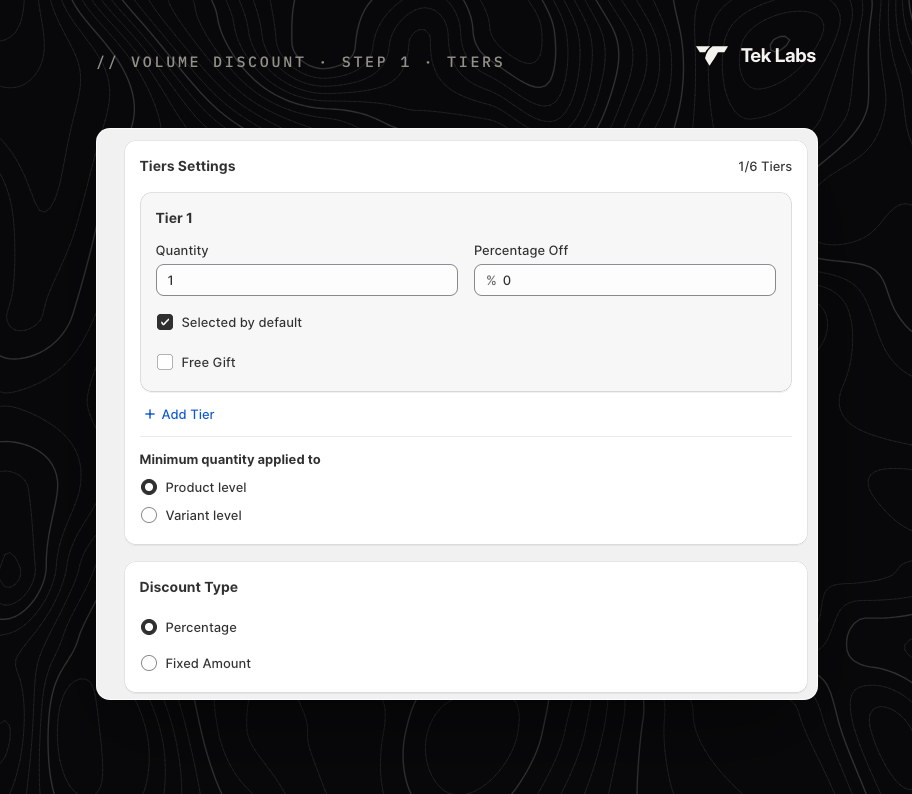
### Tiers Settings
Add up to **6 tiers** with **Add Tier**. Each quantity must be unique.
For each tier:
* **Quantity**: the minimum quantity to unlock the tier.
* **Percentage Off** / **Fixed amount Off**: the discount for the tier (depends on **Discount Type** below).
* **Selected by default**: this tier is pre-selected in the storefront block. Only one tier can be the default.
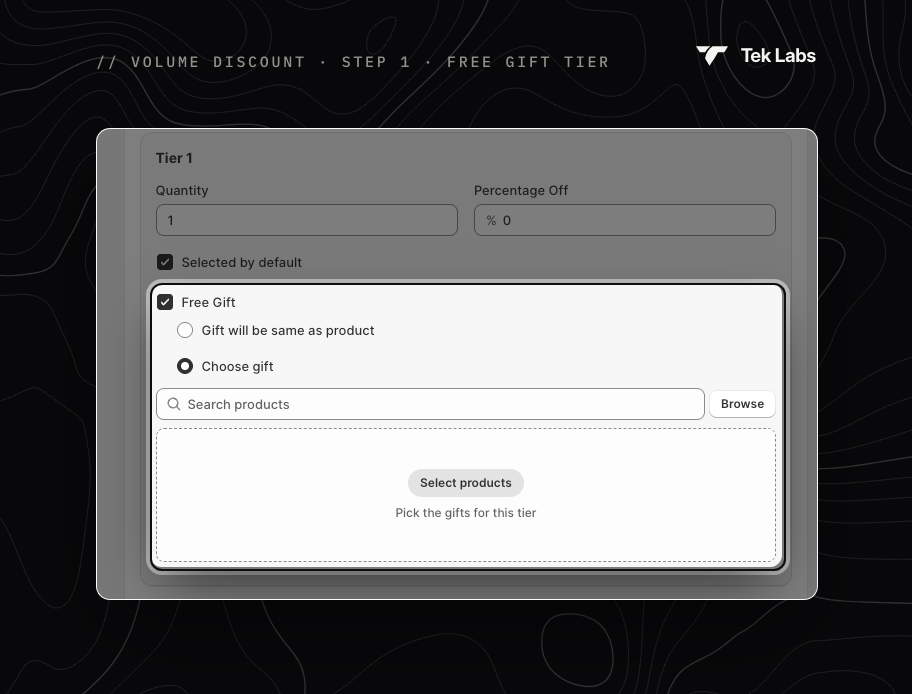
* **Free Gift**: add a gift to the tier.
* **Gift will be same as product**: Buy X get X free. Set the **Number of gift**: the Quantity becomes the number to buy, and customers get that many extra units free. The tier's discount field is disabled.
* **Choose gift** (default): pick gift products and set a quantity for each.
**Minimum quantity applied to**:
* **Product level** (default): all variants of a product count together toward the tier.
* **Variant level**: each variant's quantity is counted separately. This is fixed when you apply to **Specific variants**.
### Discount Type
**Percentage** (default) or **Fixed amount**.
## Step 2 · Display
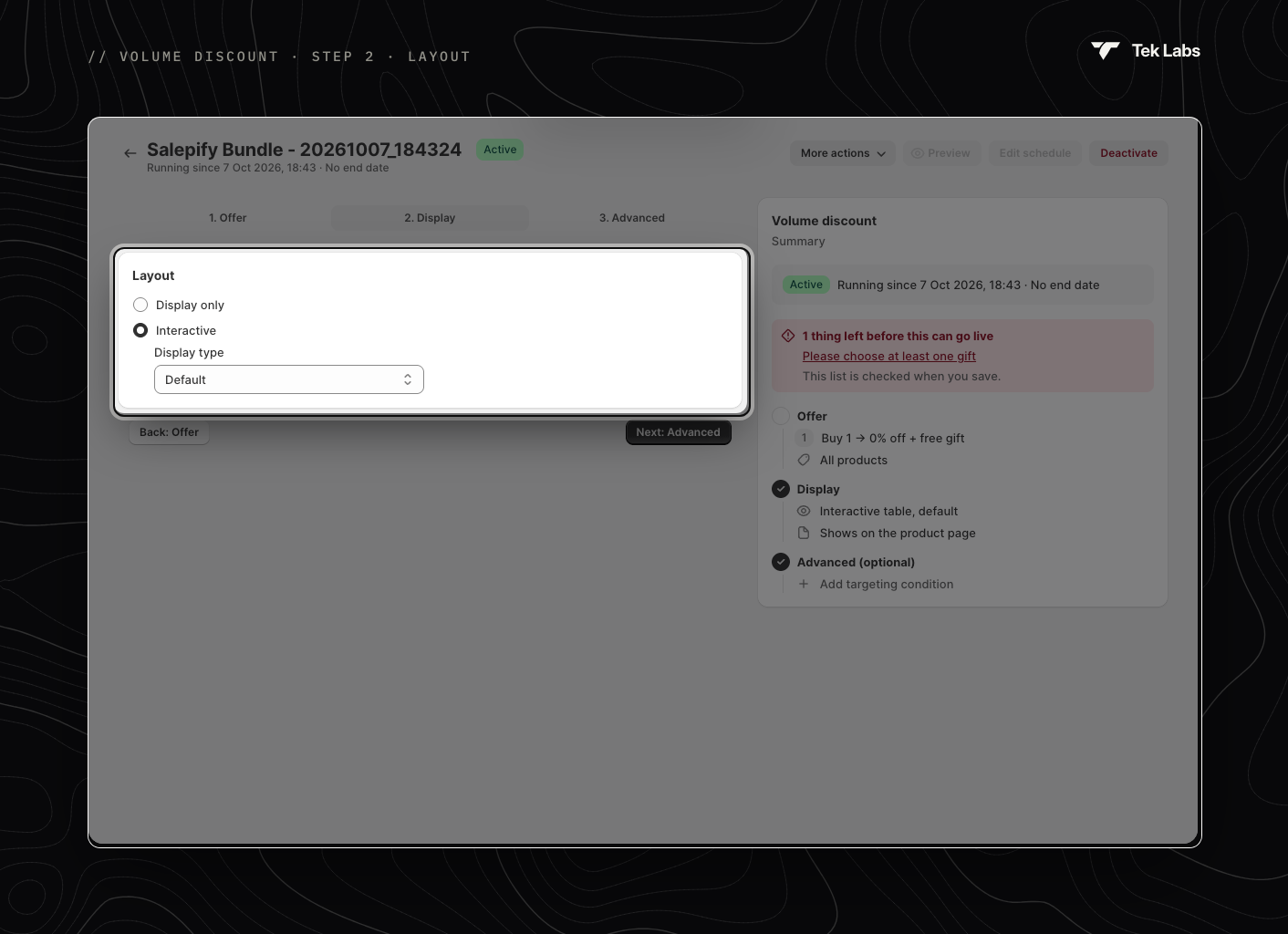
**Layout**:
* **Display only**: customers can view the tiers, but can't select them.
* **Interactive** (default): customers pick a tier and add it to the cart with one click, and the discount applies automatically. Choose a **Display type**: **Default**, **Show product image** or **Show variant image**.
The block appears on the product page, below the **Add to cart** button. Move it with the **Volume discount block** app block. See [Enabling Tek Labs app](/free-gift-userguide/getting-started/enabling-tek-labs-app.md#move-a-widget-on-the-page).
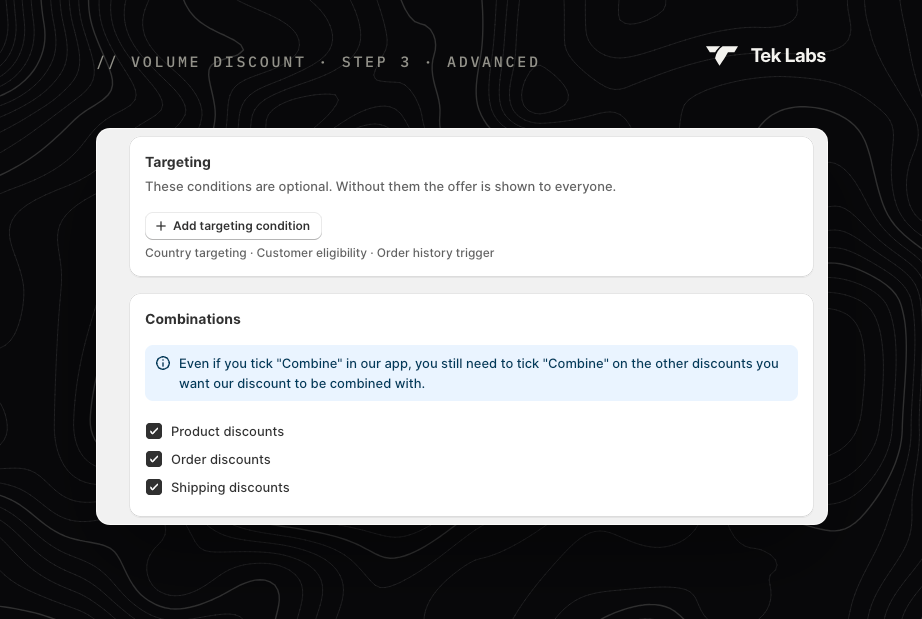
## Step 3 · Advanced
### Targeting
Optional. Click **Add targeting condition** to add:
* **Customer tags**: **Include** or **Exclude** customers with these tags (for example VIP or Wholesale).
* **Specific customers**: only the customers you select.
* **Customer status**: **Logged in customers** or **Not logged in customer**.
### Combinations
Choose which discounts the volume discount can combine with: **Product discounts**, **Order discounts** and **Shipping discounts** (all ticked by default). Remember to also tick **Combine** on the other Shopify discounts.
## Go live
Save and check the Summary. It lists each tier ("Buy 2 → 10% off + free gift"), the layout and the conditions. Then use **Activate** or **Schedule**. See [Managing offers](/free-gift-userguide/getting-started/managing-offers.md).
Style the block in [Styling › Volume discount](/free-gift-userguide/user-guides/styling/volume-discount-type.md) and edit its texts in [Translations](/free-gift-userguide/user-guides/translation.md).