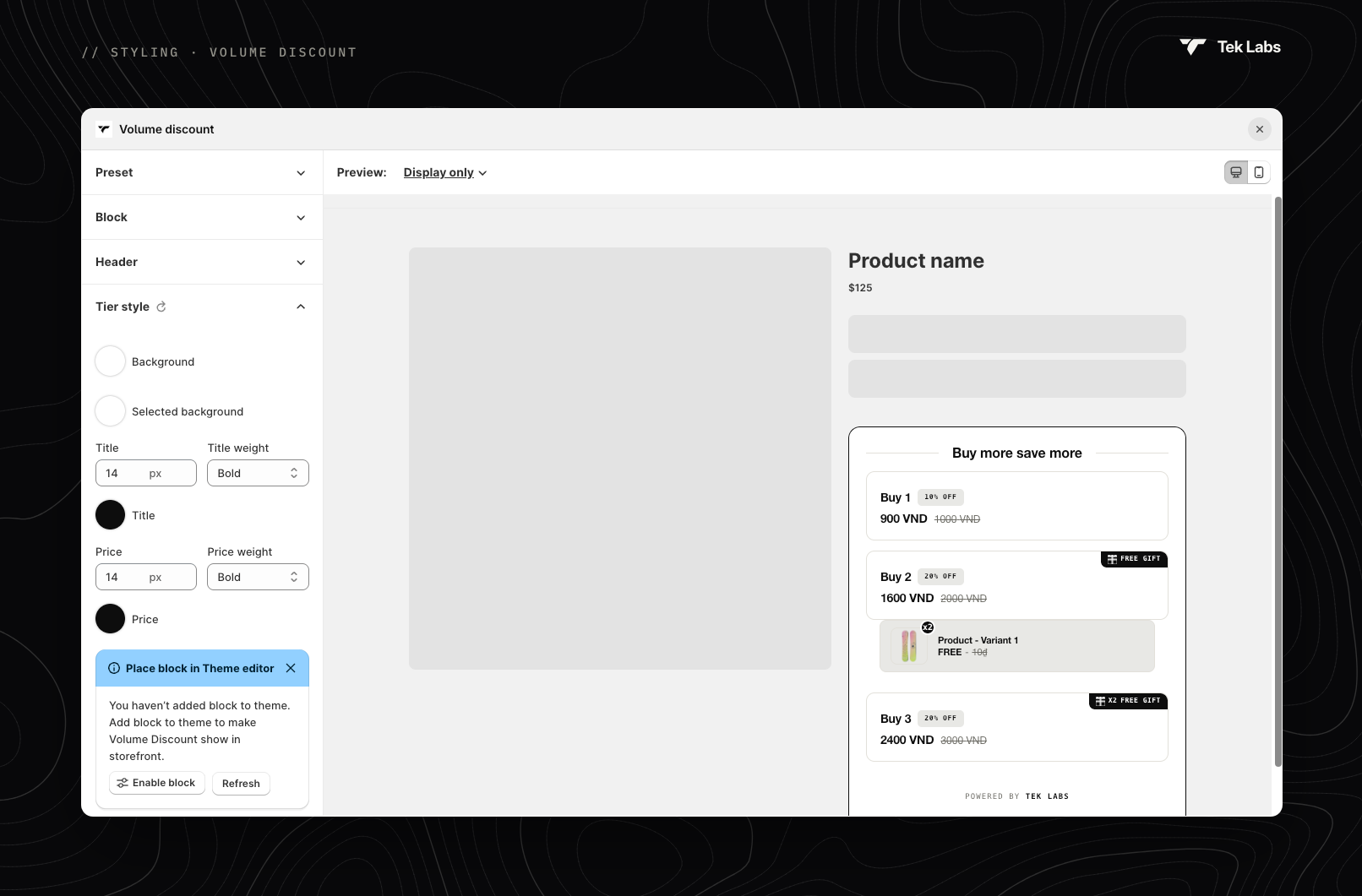
> For the complete documentation index, see [llms.txt](https://document.tek-labs.app/free-gift-userguide/llms.txt). Markdown versions of documentation pages are available by appending `.md` to page URLs; this page is available as [Markdown](https://document.tek-labs.app/free-gift-userguide/user-guides/styling/volume-discount-type.md).
# Volume discount
Style the volume discount tier block.
**Preview**: choose **Display only** or **Interactive**. For Interactive, a second drop-down shows the image style (**Default**, **Show product image** or **Show variant image**). Some sections apply to one layout only. Use the Desktop and Mobile icons to switch devices.
{% hint style="info" %}
If you see **New Volume Discount design available**, click **Use new UI** to switch to the latest design. Your current styling is replaced with the new defaults when you save; translations stay unchanged.
{% endhint %}
## Sections
| Section | Settings |
| -------------------- | ---------------------------------------------------------------------------------------------------------------------------------------------------------------------------------------------------------------------------------------------------------------------------------------- |
| **Preset** | **Classic**, **Amber glow**, **Flamingo**, **Clover breeze**, **Royal amethyst**, **Mulberry wine**, **Midnight navy**, **Golden sand** or **Custom color**. |
| **Block** | Block background and border colours, font family, border radius and width. |
| **Header** | Header size, weight and colour; alignment (left, centre, right); margin below the header; strikethrough colour and thickness. |
| **Tier style** | **Background** and **Selected background**; **Title**, **Price** and **Regular price** size, weight and colour; label and tag styles; selection colours; **Border type** (Solid, Dotted, Dashed, Groove, Double or None); border colours, widths and radius; padding; gap between tiers. |
| **Free Gift** | The gift row inside a tier: border, background and badge colours; reward name, discounted price and product price styles. |
| **Free Gift Image** | Image border radius and size; quantity badge colour, text colour and size. |
| **Button** | Text size, weight and colour; background colour; shadow colour on hover; border radius. |
| **Custom CSS** | Your own CSS. |
| **Widget placement** | **Change widget position** in the theme editor, or copy the code snippet ``. |