> For the complete documentation index, see [llms.txt](https://document.tek-labs.app/free-gift-userguide/llms.txt). Markdown versions of documentation pages are available by appending `.md` to page URLs; this page is available as [Markdown](https://document.tek-labs.app/free-gift-userguide/user-guides/gift-offers/progress-bar-type.md).
# Progress Bar
Reward customers with bigger rewards as their cart grows, with up to 6 milestones.
A progress bar shows shoppers how close they are to the next reward, in the cart drawer, on the cart page or on the product page. Each milestone can give a **free gift**, a **cart discount** or a **shipping discount**.
There are two templates in **Offers › Create**:
* **Progress bar by cart value**: milestones are a **Spend goal**, for example spend $20 for a tote bag, $40 for a premium kit.
* **Progress bar by item count**: milestones are a **Quantity goal**, for example buy 3 items for a tote bag, 5 items for a premium kit.
{% hint style="info" %}
Turn on the **Progress bar** app embed in your theme. See [Enabling Tek Labs app](/free-gift-userguide/getting-started/enabling-tek-labs-app.md).
{% endhint %}
## Step 1 · Offer
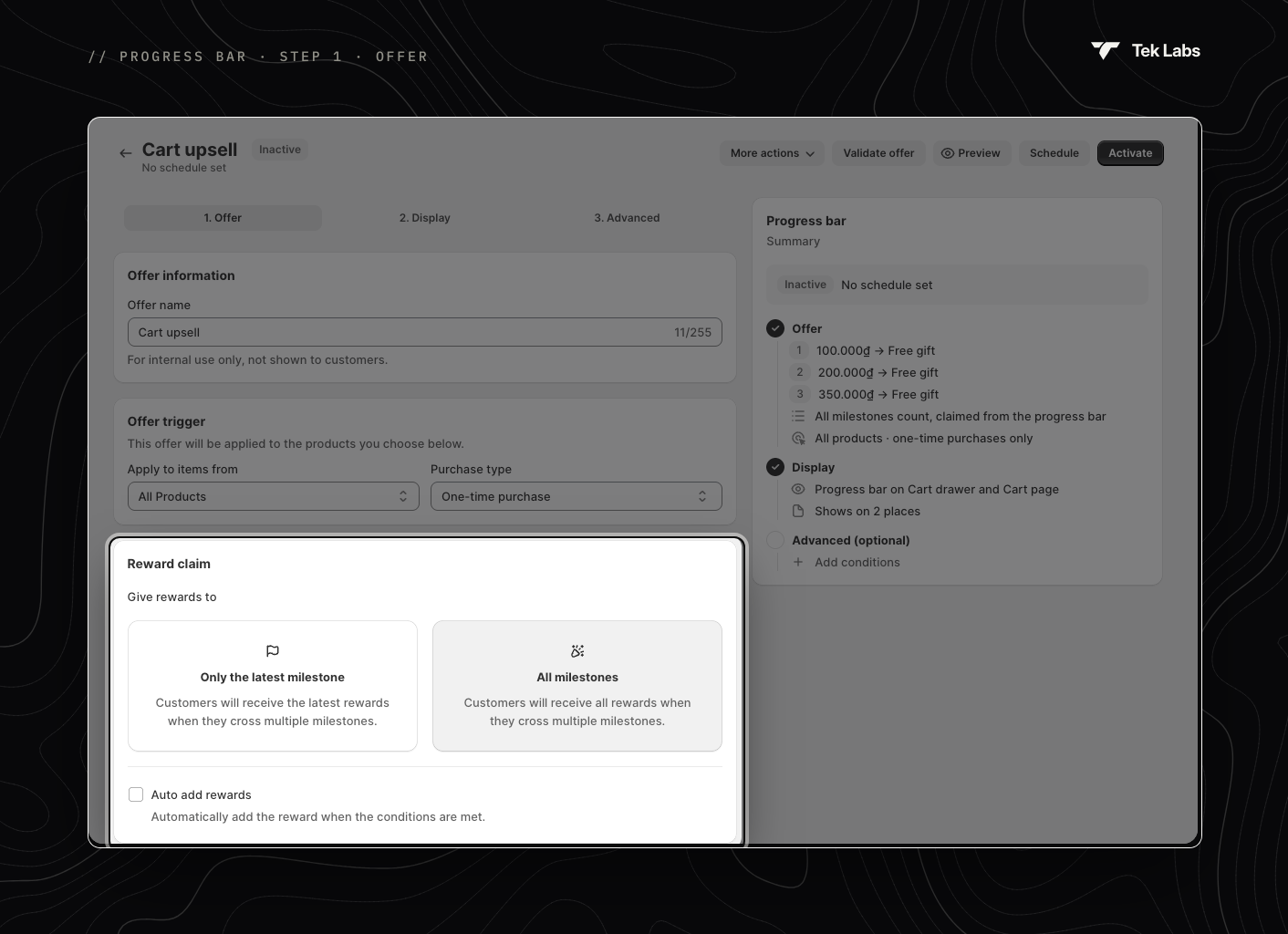
### Offer information
**Offer name**: for your reference only. The names customers see are set in [Discount rewards name](#discount-rewards-name).
### Offer trigger
Choose which cart items count toward the bar.
* **Apply to items from**: **All Products**, **Specific Products** or **Specific Collections**.
* **Purchase type**: **One-time purchase**, **Subscription** or **Both** (default).
### Reward claim
* **Give rewards to**:
* **Only the latest milestone** (default): customers get only the reward of the highest milestone they reach.
> *Example:* the customer crosses 2 of your 3 milestones, so they get the second milestone's reward only.
* **All milestones**: customers get the rewards of every milestone they reach.
> *Example:* the customer crosses all 3 milestones, so they can claim all three rewards.
* **Auto add rewards**: rewards are added to the cart automatically when a milestone is reached. Untick it to let customers claim rewards from the bar themselves.
### Tiers
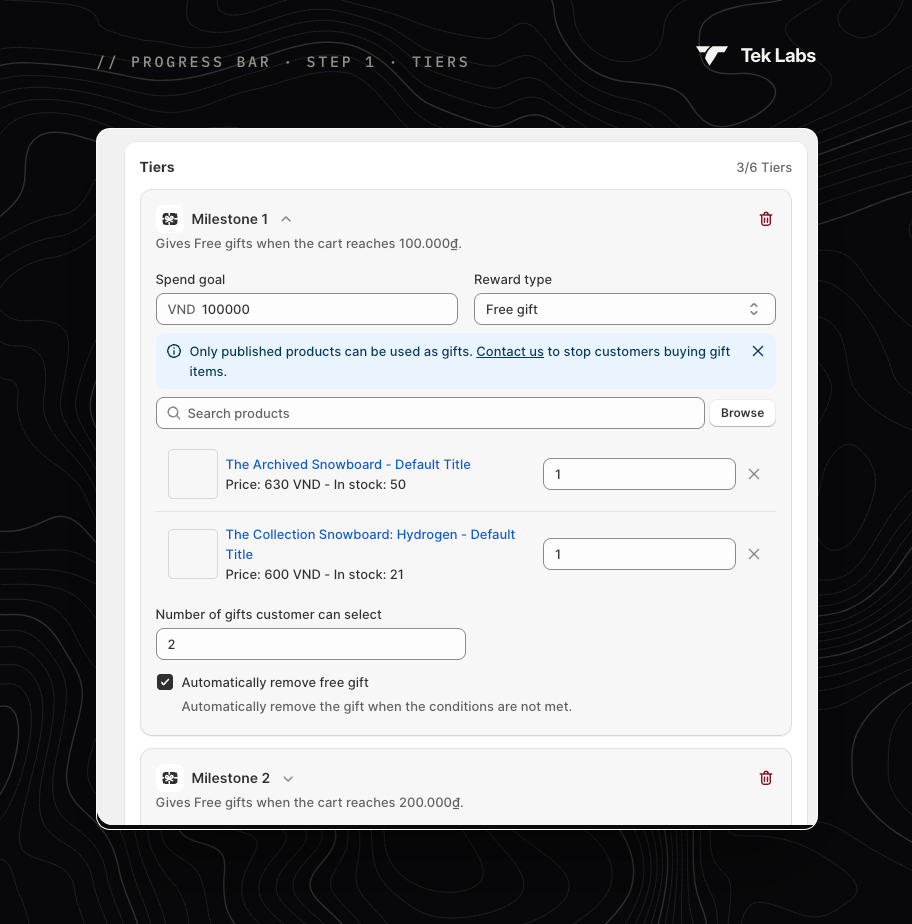
Add up to **6 milestones** with **Add milestone**. Each milestone must be higher than the one before it.
For each milestone set the **Spend goal** (or **Quantity goal**) and a **Reward type**:
* **Free gift**
* Pick the gift products and set a quantity for each (1 by default).
* **Number of gifts customer can select**: how many gifts the customer can pick. Shown only when **Auto add rewards** is off.
* **Automatically remove free gift**: removes the gift when the cart drops below the milestone. On by default and applies to the whole offer.
* **Cart discount**
* **Discount type**: **Percentage** or **Decrease amount**.
* **Discount value**: a percentage, or an amount in your store currency (up to two decimals).
* **Shipping discount**
* **Discount type** and **Discount value**, as above.
* **Set maximum discount value** (Percentage only): caps the shipping discount.
* **Select applied locations**: limit the discount to certain countries. Tick **Include/Exclude Provinces** to pick provinces or states. If unchecked, the discount applies to all countries.
* **Restrict to specific shipping methods**: **Include** or **Exclude** shipping methods.
{% hint style="warning" %}
Only **published** products can be used as gifts. To stop customers changing gift quantities in the cart, contact us and our team will set it up.
{% endhint %}
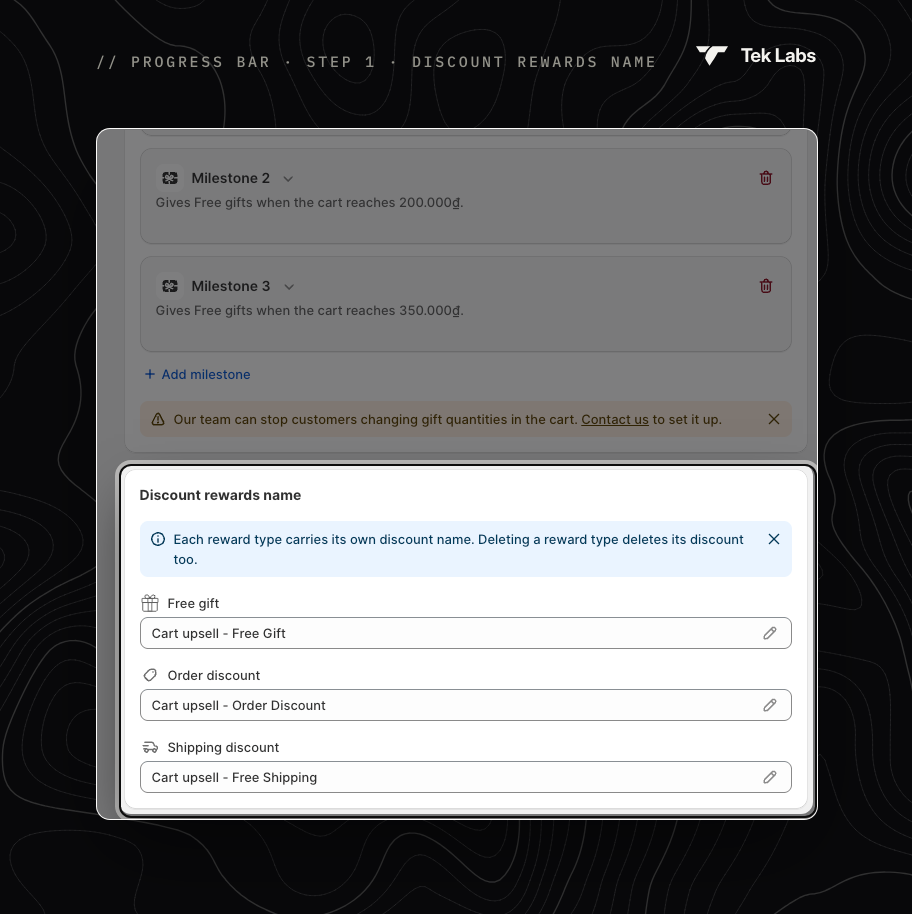
### Discount rewards name
Each reward type creates its own discount, and this is the name customers see in the cart and at checkout.
| Field | Default |
| --------------------- | ------------------------------- |
| **Free gift** | `{Offer name} - Free Gift` |
| **Order discount** | `{Offer name} - Order Discount` |
| **Shipping discount** | `{Offer name} - Free Shipping` |
The three names must be different. Commas are removed automatically.
{% hint style="warning" %}
The name follows the **reward type**, not the milestone. If your first milestone gives a Shipping discount and your second gives a Free gift, the first discount is named after the Shipping discount field, for example **Black Friday - Free Delivery**, and the second after the Free gift field, for example **Black Friday - Mystery Box**.
{% endhint %}
## Step 2 · Display
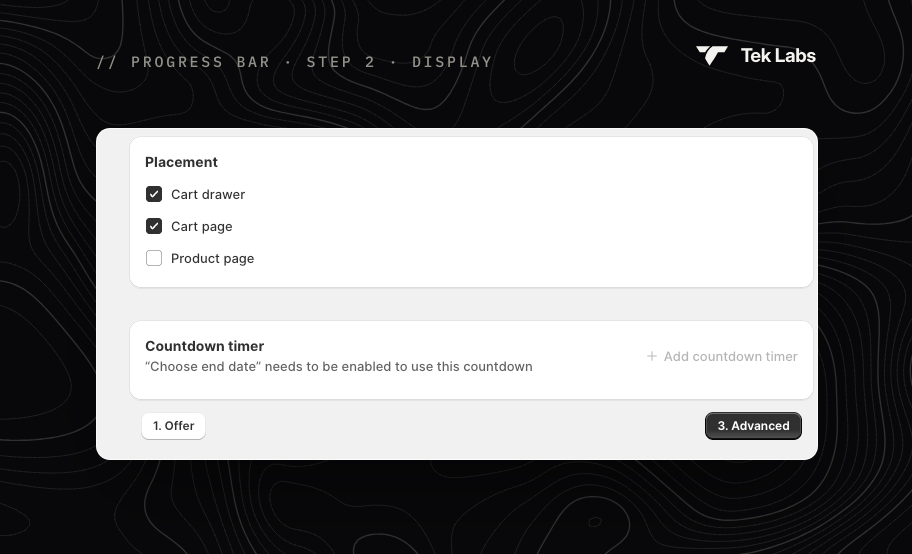
* **Placement**: show the bar in the **Cart drawer** (default), on the **Cart page** (default) and/or on the **Product page**.
* **Countdown timer**: click **Add countdown timer** and choose a **Timer format** (`dd:hh:mm:ss`, `hh:mm:ss`, `hh:mm` or `mm:ss`). The timer counts down to the offer's end date, so set an end date with **Edit schedule** first.
To change the bar's colours, icons and texts, use **More actions › Edit widget style** ([Styling › Progress bar](/free-gift-userguide/user-guides/styling/progress-bar-type.md)) and **Edit default text** ([Translations](/free-gift-userguide/user-guides/translation.md)).
## Step 3 · Advanced
### Targeting
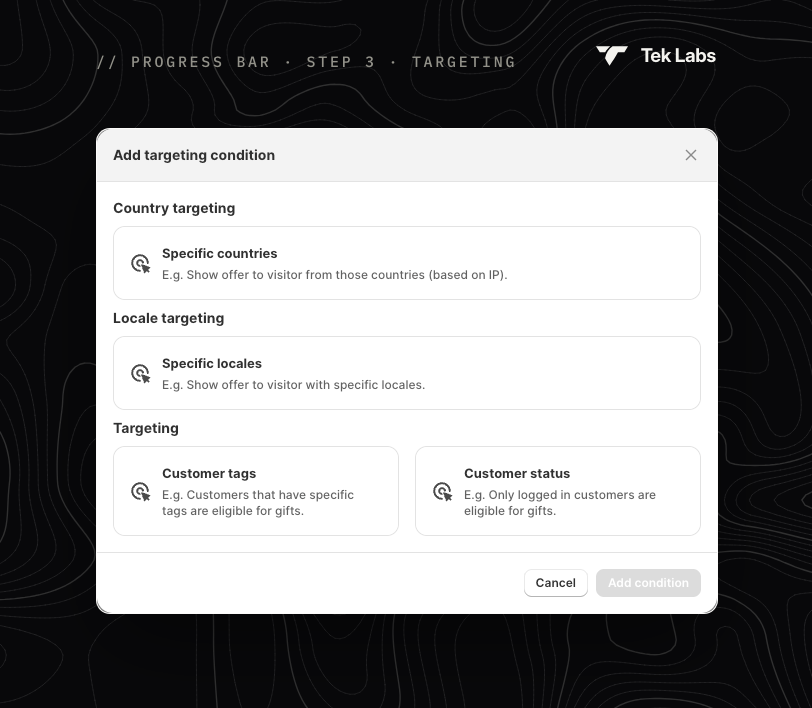
Optional. Click **Add targeting condition** and choose:
| Condition | Settings |
| ---------------------- | ---------------------------------------------------------------- |
| **Specific countries** | **Include** or **Exclude** countries, based on the visitor's IP. |
| **Specific locales** | **Include** or **Exclude** visitors using these store languages. |
| **Customer tags** | **Include** or **Exclude** customers with these tags. |
| **Customer status** | **Logged in customers** or **Not logged in customer**. |
## Go live
Save the offer, then check the Summary. It lists each milestone ("100.000₫ → Free gift"), the claim rule and the placement. Use **Validate offer** to check the setup, and **Activate** or **Schedule** to go live. See [Managing offers](/free-gift-userguide/getting-started/managing-offers.md).