> For the complete documentation index, see [llms.txt](https://document.tek-labs.app/free-gift-userguide/llms.txt). Markdown versions of documentation pages are available by appending `.md` to page URLs; this page is available as [Markdown](https://document.tek-labs.app/free-gift-userguide/getting-started/dashboard.md).
# Dashboard
Your starting point in the app.
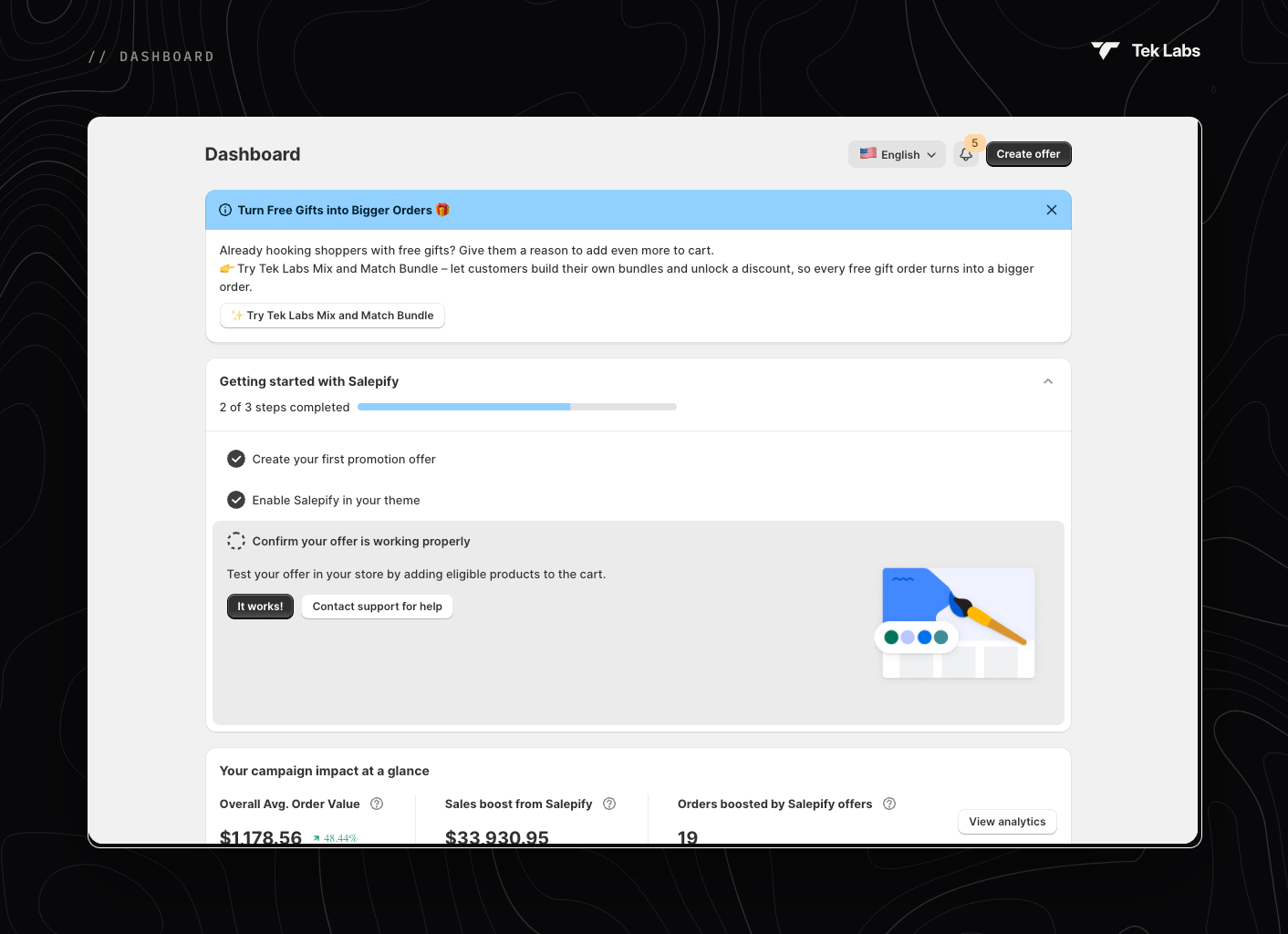
The Dashboard is the first page you see when you open the app.
## Header actions
* **Language switcher**: changes the language of the app's admin interface (27 languages). It doesn't change your storefront text. Use [Translations](/free-gift-userguide/user-guides/translation.md) for that.
* **Bell icon (Widget block status)**: shows which widgets still need to be enabled in your theme. See [Enabling Tek Labs app](/free-gift-userguide/getting-started/enabling-tek-labs-app.md).
* **Create offer**: opens the template picker. See [Managing offers](/free-gift-userguide/getting-started/managing-offers.md#create-an-offer).
## Getting started with Salepify
A three-step checklist with a progress bar ("{n} of 3 steps completed"):
1. **Create your first promotion offer**: done when you have at least one offer.
2. **Enable Salepify in your theme**: done when at least one widget's app embed is on. **Check Widget block status** opens the bell popover.
3. **Confirm your offer is working properly**: test the offer on your store, then click **It works!**. If something is wrong, click **Contact support for help**.
You can collapse the checklist with the arrow, or close it for good with **X**.
## Your campaign impact at a glance
| Metric | What it shows |
| ------------------------------------- | ------------------------------------------------------------ |
| **Overall Avg. Order Value** | Current AOV based on all orders since you installed the app. |
| **Sales boost from Salepify** | Sales from orders that used the app's offers. |
| **Orders boosted by Salepify offers** | Number of orders that used the app's offers. |
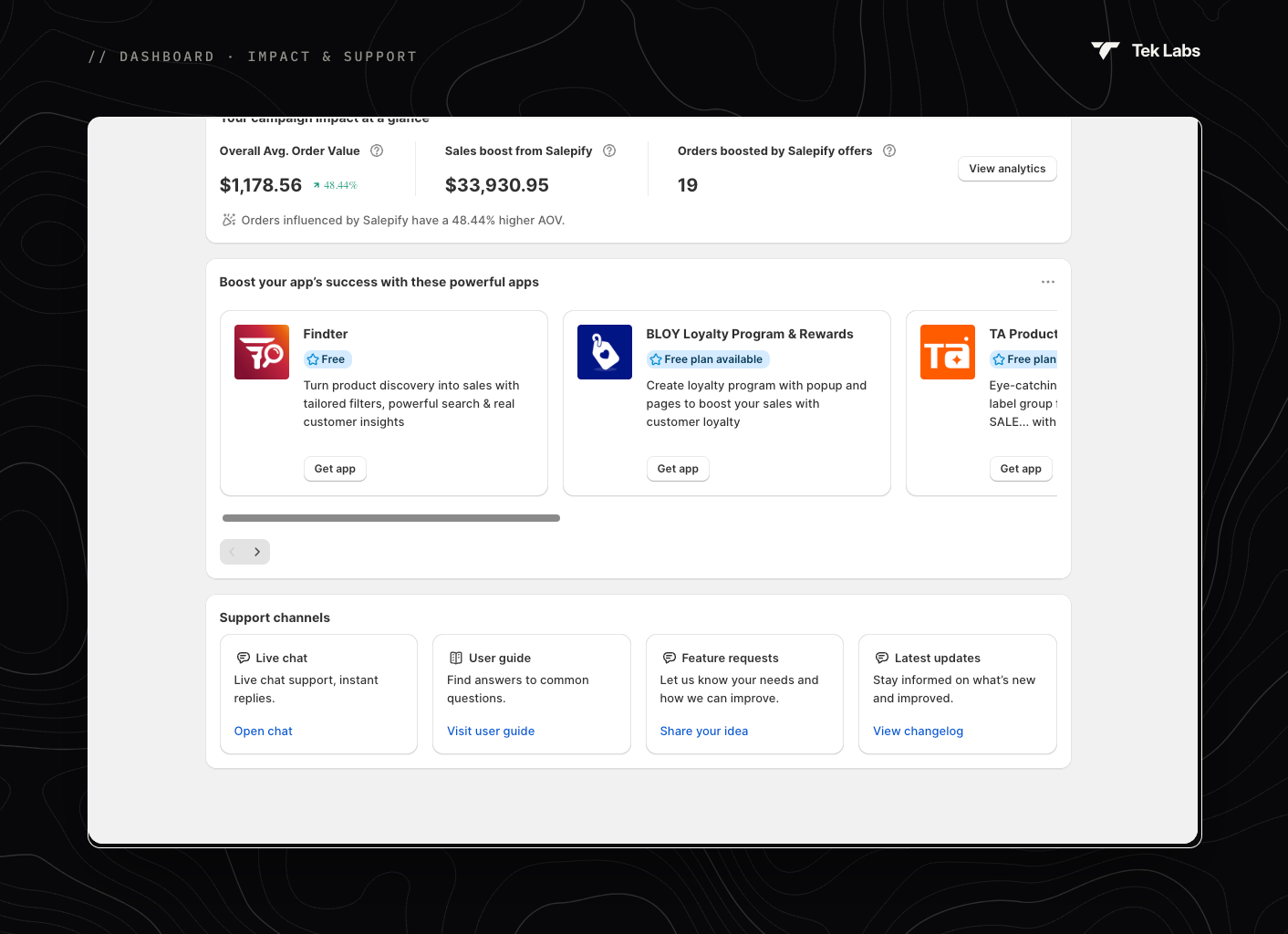
When orders using the app have a higher AOV, you'll see a line such as "Orders influenced by Salepify have a 48.44% higher AOV." Click **View analytics** for the full report in [Analytics](/free-gift-userguide/user-guides/analytics.md).
## Support channels
| Card | Action |
| -------------------- | ----------------------------------------------- |
| **Live chat** | **Open chat**: talk to our support team. |
| **User guide** | **Visit user guide**: opens this documentation. |
| **Feature requests** | **Share your idea**: tell us what you need. |
| **Latest updates** | **View changelog**: see what's new in the app. |
The Dashboard may also show announcements and other Tek Labs apps you can try. You can dismiss these.